
The Acadlix Elementor Addon allows you to design visually appealing Single Course and All Courses pages effortlessly. Enable the integration and explore endless design possibilities for your LMS.
Requirements
Make sure the latest version of the following plugins is installed and activated:
-
Acadlix
-
Elementor
How to Install the Acadlix Addon for Elementor?
You can directly install the Acadlix addon for elementor from your site’s dashboard plugin section by following the steps below
- Login to your wp-admin
- Navigate to the Plugins
- Navigate to Add Plugin
- Search for “Acadlix addon for Elementor.”
- Click Install now
- Click Activate
Required Settings
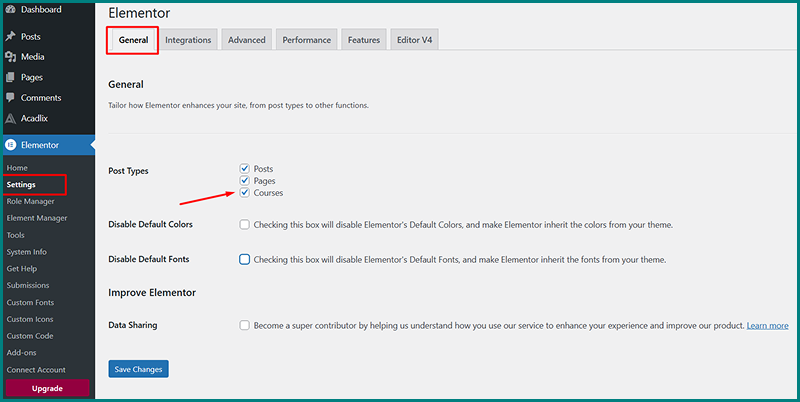
To start designing Course pages with Elementor, you must enable support for Courses in Elementor settings:
-
Go to:
Dashboard → Elementor → Settings → General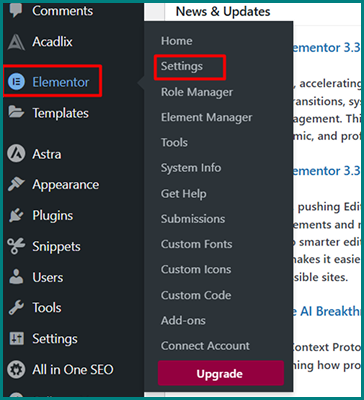
-
Under Post Types, check the Courses option.
-
Click Save Changes.
How to Design a Single Course Page Using Acadlix
-
Navigate to:
Dashboard → Templates -
Click Add New.
-
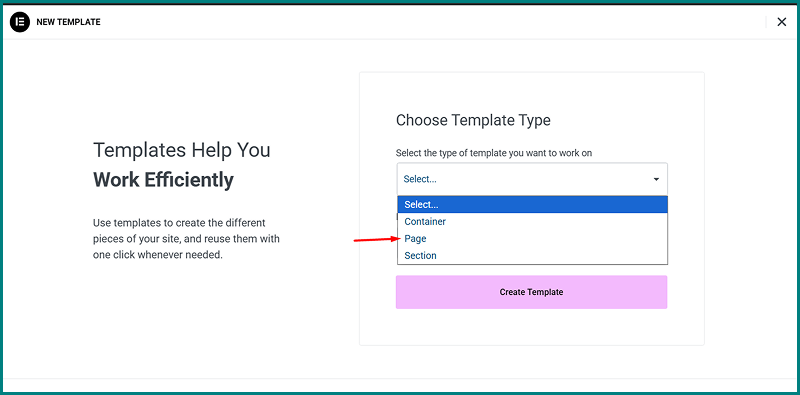
Choose Template Type: Page
-
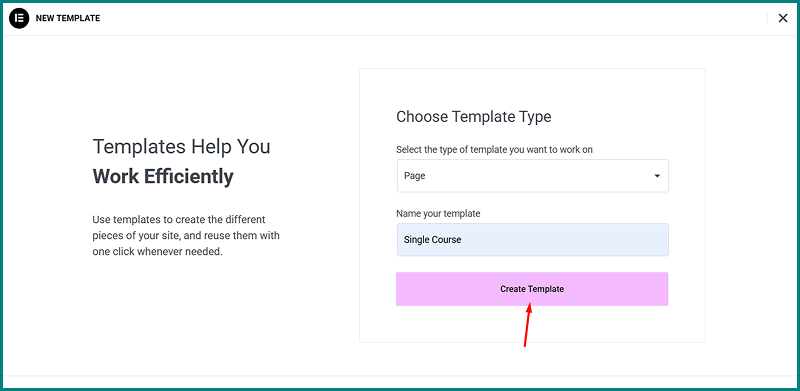
Enter a template name.
-
Click Create Template.
-
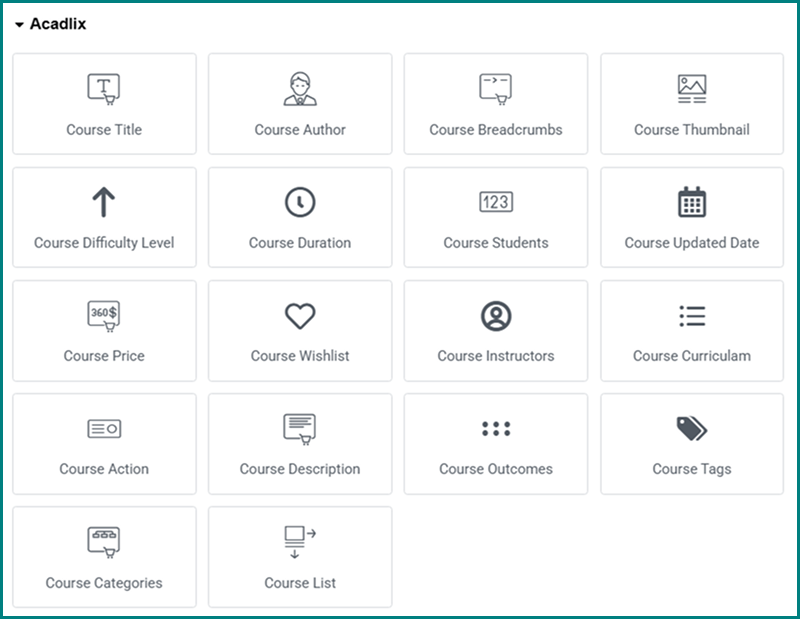
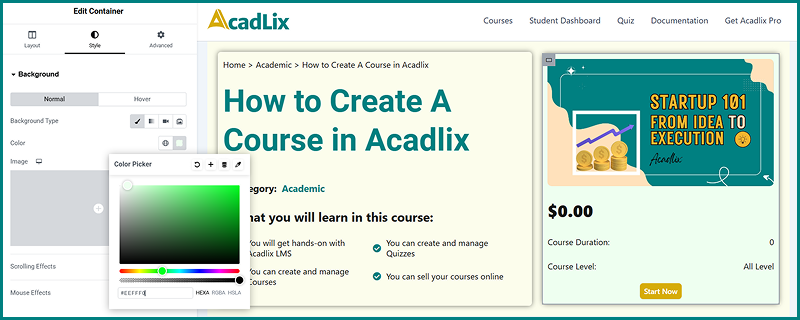
Elementor will open. Now you can use Acadlix Course Widgets to build your single-course layout.
-
You can also use regular Elementor widgets — but ensure any dynamic elements are correctly connected.
-
Once done, click Publish.
Apply Your Template to Single Course Pages
-
Go to:
Dashboard → Acadlix → Settings → General → Page Setup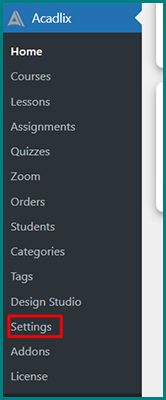
-
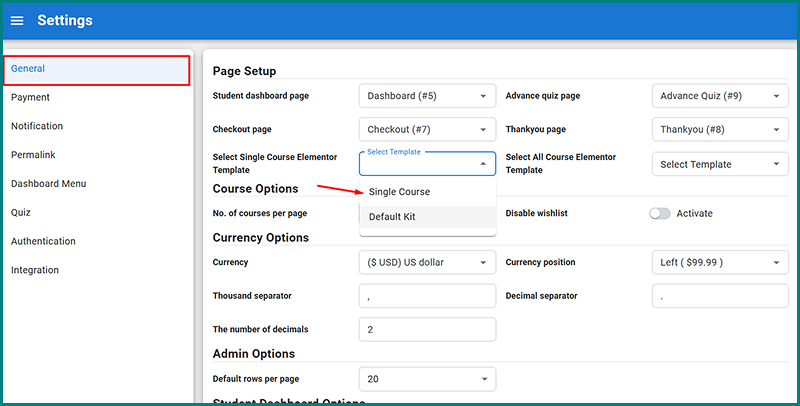
Under Select Single Course Elementor Template, select the template you created.
-
Save settings.
-
Clear all cache (if a caching plugin or CDN is active).
-
Visit any course page on the frontend to see your new design.