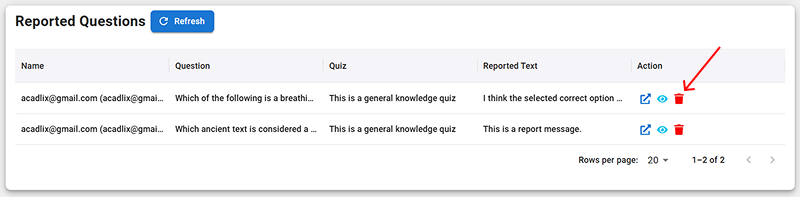
This addon helps you to maintain the accuracy with the help of your students. This will enable an option in the answersheet, so that your students can report an error in the questions if they see any. We have added this feature in Acadlix Pro v 1.5.1 on 27-11-2025.
How to Enable Question Error Reporting Addon in Acadlix?
Navigate to the Addon manager by clicking on the “Addons” option from the left menu.
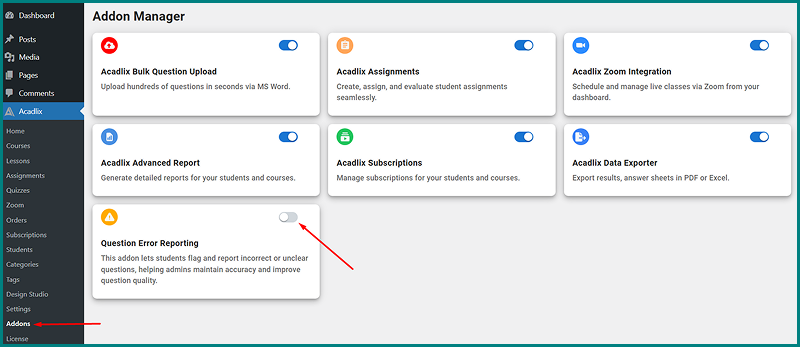
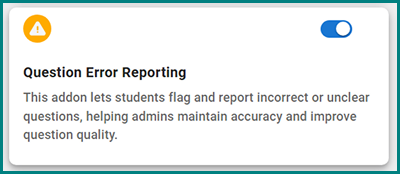
Enable the toggle button in front of the “Question Error Reporting” addon.
How to enable question error reporting for a quiz?
After enabling the addon, you will see a new toggle button in the quiz add/edit page under Advanced Options.
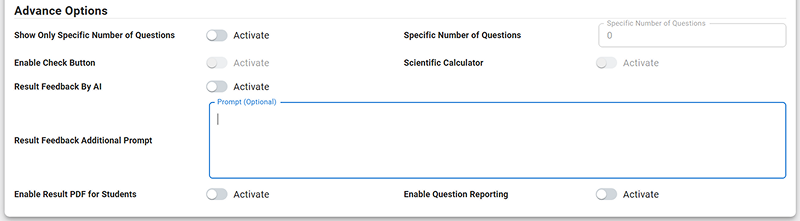
Enable the toggle button.

How will a student report a question?
Once you enable the Question reporting for a quiz, your students will start seeing the report question icon in front of each question in the answersheet.
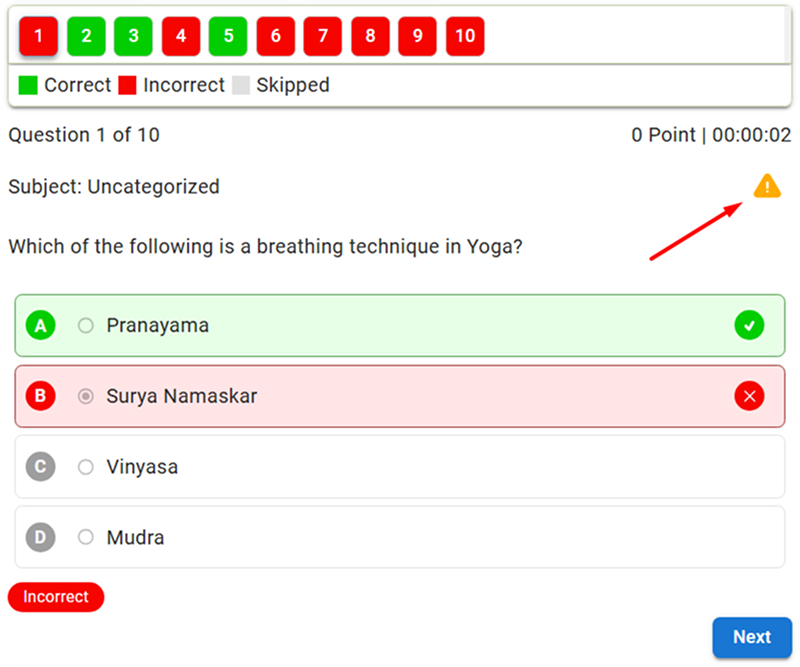
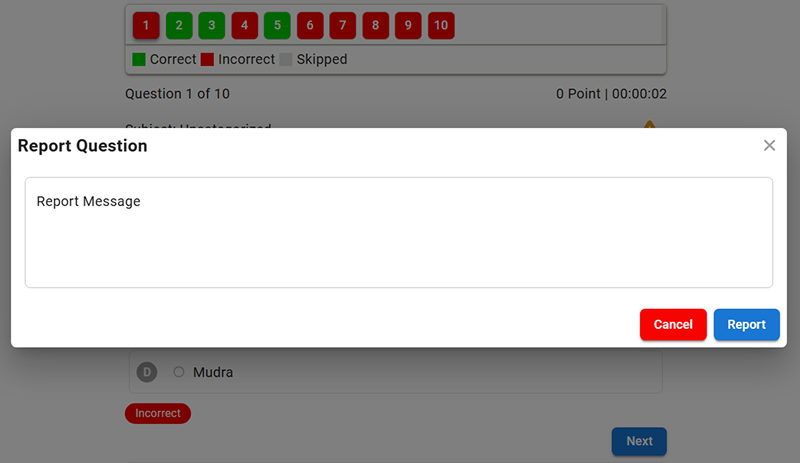
When the student clicks on the report icon, it will open another modal with a message field.
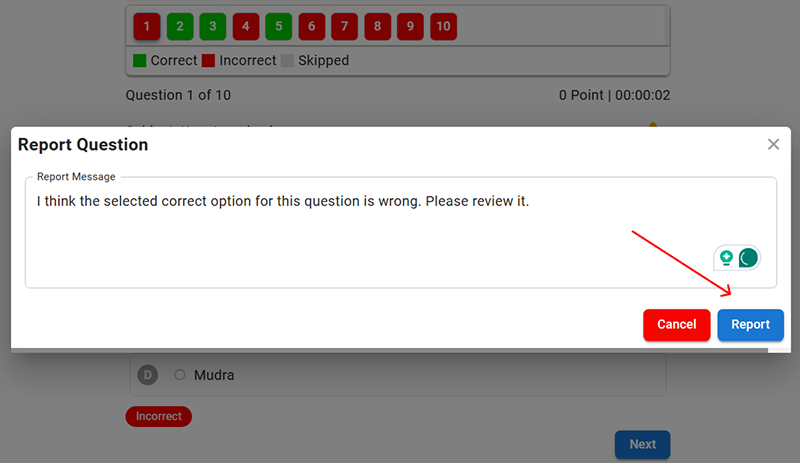
A student has to write their message and then click on the “Report” button to submit it.
How to check reported questions by Students in Acadlix LMS?
Navigate to the Acadlix –> Reported Questions
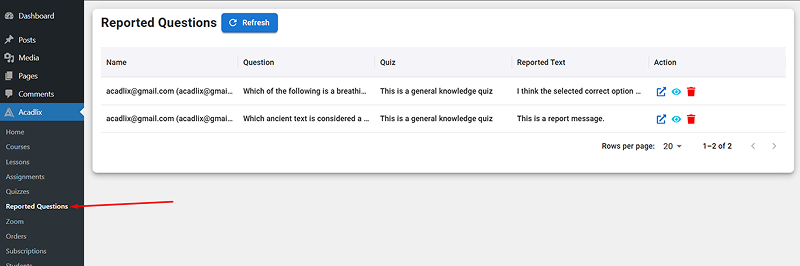
Here you will see all the reported questions.
Now, click on the eye icon to view the message from the student.
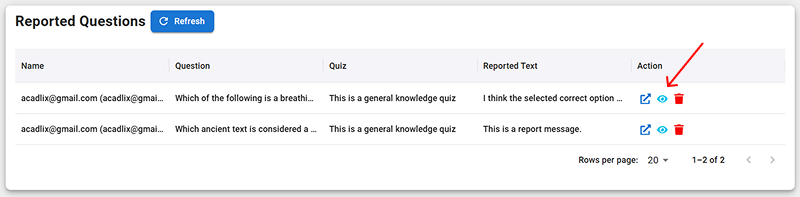
The reported question and the text or message from the student will be visible in a modal for your review.
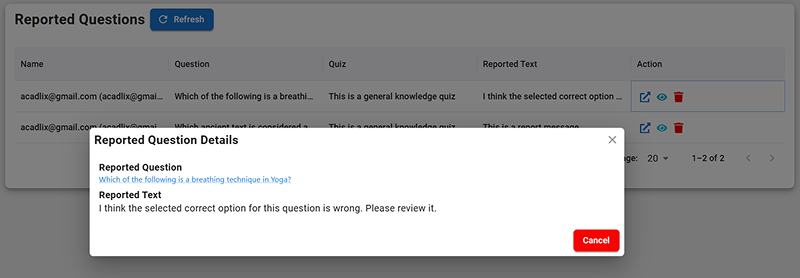
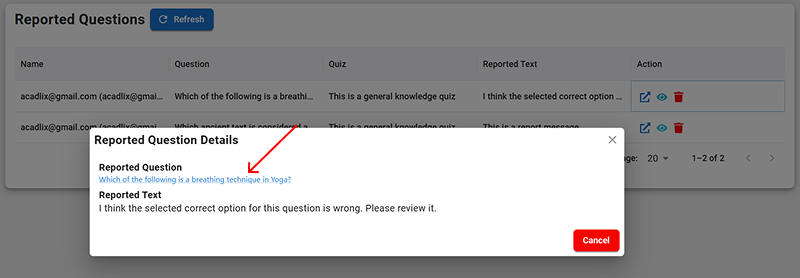
There are two ways to navigate to the reported question,
1. From the modal – Click on the question text, it will redirect to the question edit screen.
2. Click on the “arrow” icon on the Reported Questions listing page, which will also redirect to the question edit screen.
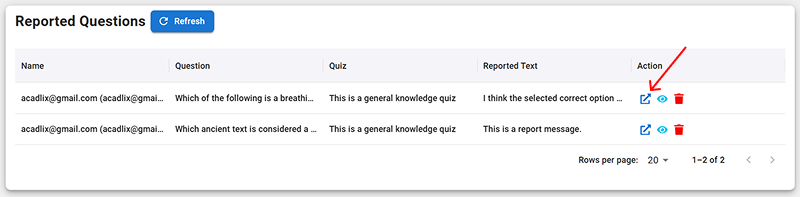
Once you finish the correction, you can delete the entry by clicking on the red “Trash can” icon.