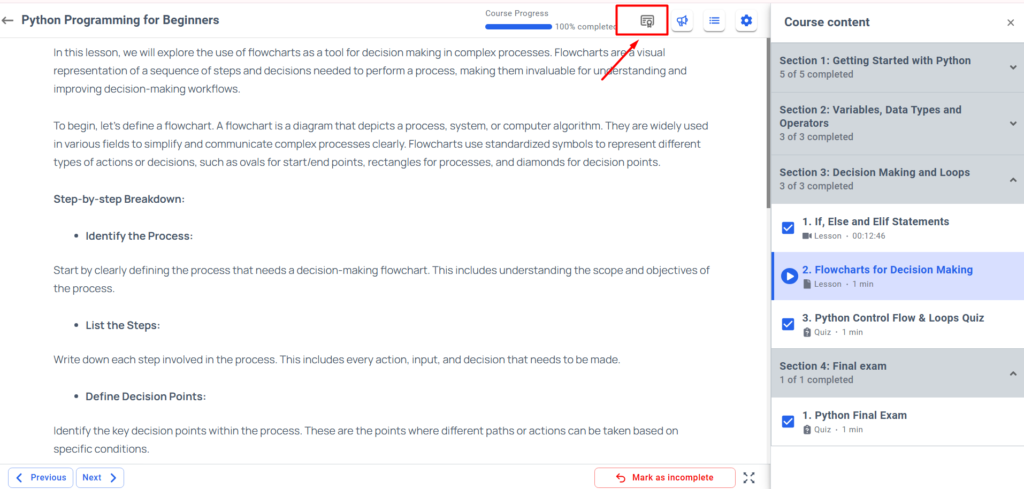
The certificate is a built-in feature of Acadlix LMS, and you can use it to issue the course competition certificate to learners.
In this section, you will learn about customizing the Course certificate.
Currently, Acadlix has the following Certificate Options
- Authorised Name
- Authorised Company Name
- Show instructor name on the certificate
- Show course completion date on the certificate
- Certificate Page
- Certificate link in email
- Upload Signature Image
- Select Certificate Template
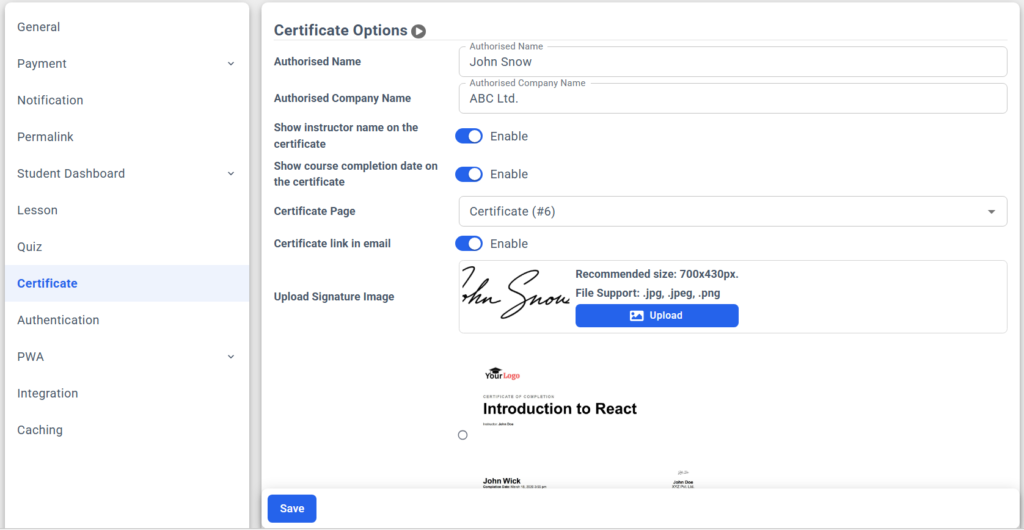
Let’s see one by one how these will help you.
Authorised Name – This field will help you to add a name from that this certificate get issued, you can add your name, Company Director Name, etc. This is an optional field, if you don’t want to set then keep it empty.
Authorised Company Name – This field will help you add a company or institute name that you want to display on the certificate. This is an optional field, if you don’t want to set then keep it empty.
Show instructor name on the certificate: Enabling this will display the course instructor’s name on the certificate.
Show course completion date on the certificate: Enabling this will display the course completion date along with the time.
Certificate Page: If by default this is not set, then you can set a page here. That will be used to display the issued certificate to the learners on the front end.
Certificate link in email: Enabling this will send the certificate download link in the course completion email.
Upload Signature Image: Upload a signature image for the Authorised Signatory.
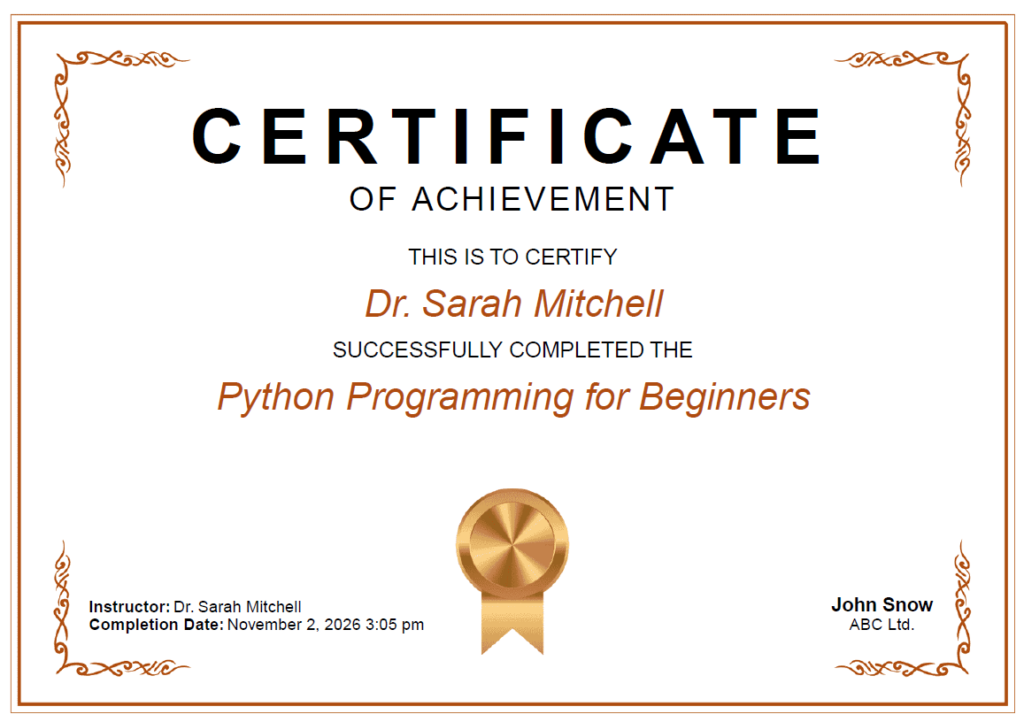
Select Certificate Template: You can select from the available certificate templates as per your requirement.
How to enable a course certificate for a course?
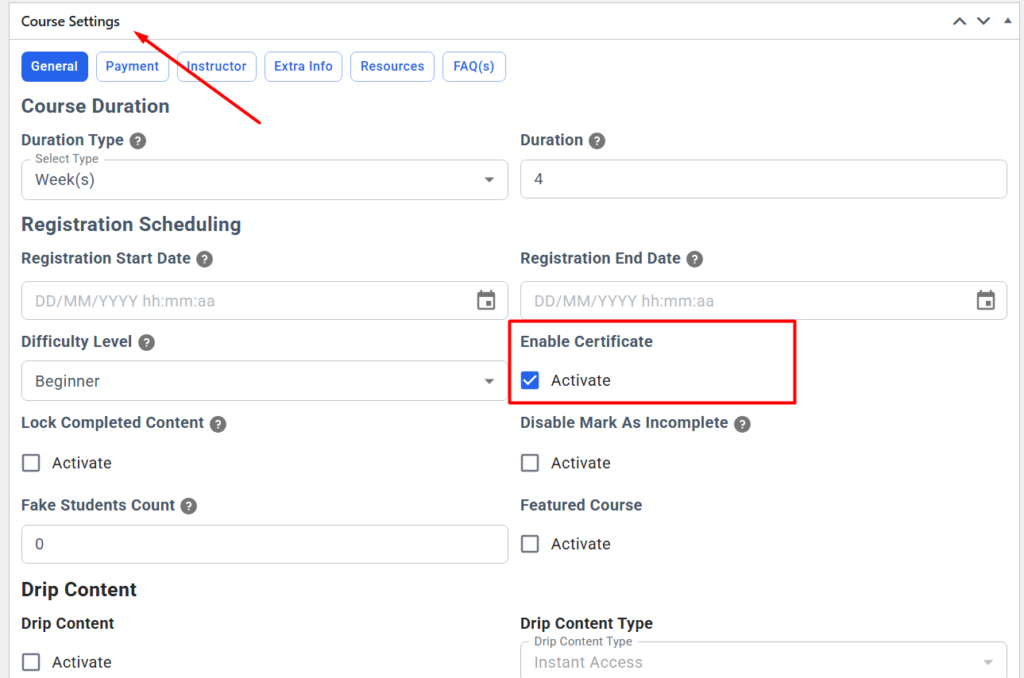
You can enable the course certificate for a course from the course add/edit panel.
Navigate to Acadlix -> Course -> Select course / Add new Course -> Course settings
You will find an option “Enable Certificate” under the course settings.
Simply enable it and save the course.
How will the student download the certificate?
When students complete a course, they will see an option to download the certificate in the course panel.
By clicking on that button, they can easily download their certificate PDF.