
We have also added the category and templates to the so that you can easily manage your lessons and can easily reuse them when needed.
What are lessons in Acadlix LMS?
Acadlix LMS provides mainly two lesson types as of now.
- Video Lessons
- Text Lessons
Text lessons support the classic editor as well as the Gutenberg editor with a media option, so you can use it to provide text, docs, pdf, PowerPoint, audio, or any other media that is supported by WordPress. This gives versatility and freedom to use your text lessons as you want.
Learn more about creating a lesson in Acadlix LMS.
Navigate to Acadlix -> Settings -> Lesson
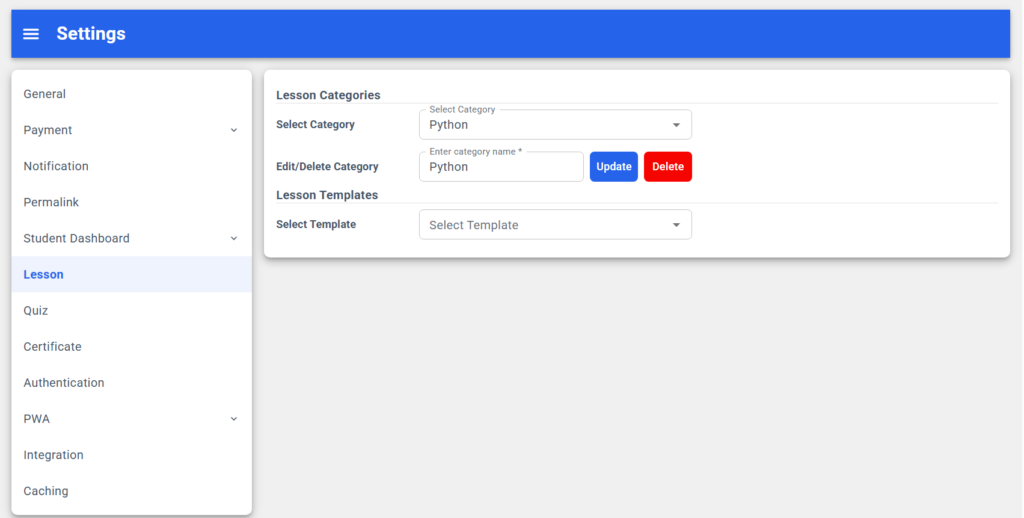
Lesson Categories
The main purpose of these is to categorise your lessons. So that you can manage your lessons easily, even when you want to reuse them in another course or section.
How to create a lesson category?
- Simply enter the category name.
- Click the Add button.
That’s it; a new lesson category is added, and it will start appearing in the category list above.
How to edit/update a lesson category?
- Select a question category from the list.
- Update its name
- Click the Update button.
That’s it; now your existing category is updated.
How to delete a quiz category?
By following these simple steps, you can easily delete a category
- Select a lesson category from the list.
- Click the delete button
That’s it; your selected category has now been deleted.